Everything to run your store.

Online store, shop counter, marketing, markets and brand — one admin, one set of products, customers and stock.

Primiox admin home
01

Build your catalog once. Control how it sells.

New productDraft
Create product
GeneralPricingInventoryMedia
NameBarrier Serum
Variants
30 ml50 ml+ Add
Badges
BestsellerNew
Stock128 in stock · Track inventory
Products your way

Variants, SKUs, images, attributes, badges and tags — or import them in bulk.

Stock you can trust

Initial stock and cost price, out-of-stock rules, backorders and “Notify me”.

Merchandise with intent

Collections, categories, product cards and quick view. Hide what's unavailable.

Explore Catalog & merchandising →
03

Every order and customer in one place.

Handle every order

Edit after purchase, register payments, issue invoices, mark as delivered.

Refunds without recounts

Refunds restock automatically; stock is reserved while customers check out.

Keep customers informed

Order confirmations, system emails and abandoned-cart recovery.

OrdersAll 63To prepare 16Unpaid 40
OrderDateCustomerPayment
Quito Store Counter/0028Counter · Quito store
Sep 28Marco A.Paid
S00106Online store
Sep 28A. RiveraPaid
S00105Online store
Sep 27D. VegaRefunded
S00104Online store
Sep 27M. SolísPaid
Explore Orders & customers →
04

Bring shoppers back. See what's selling.

Discounts, reviews with moderation, email marketing, cart recovery, back-in-stock alerts and forms.

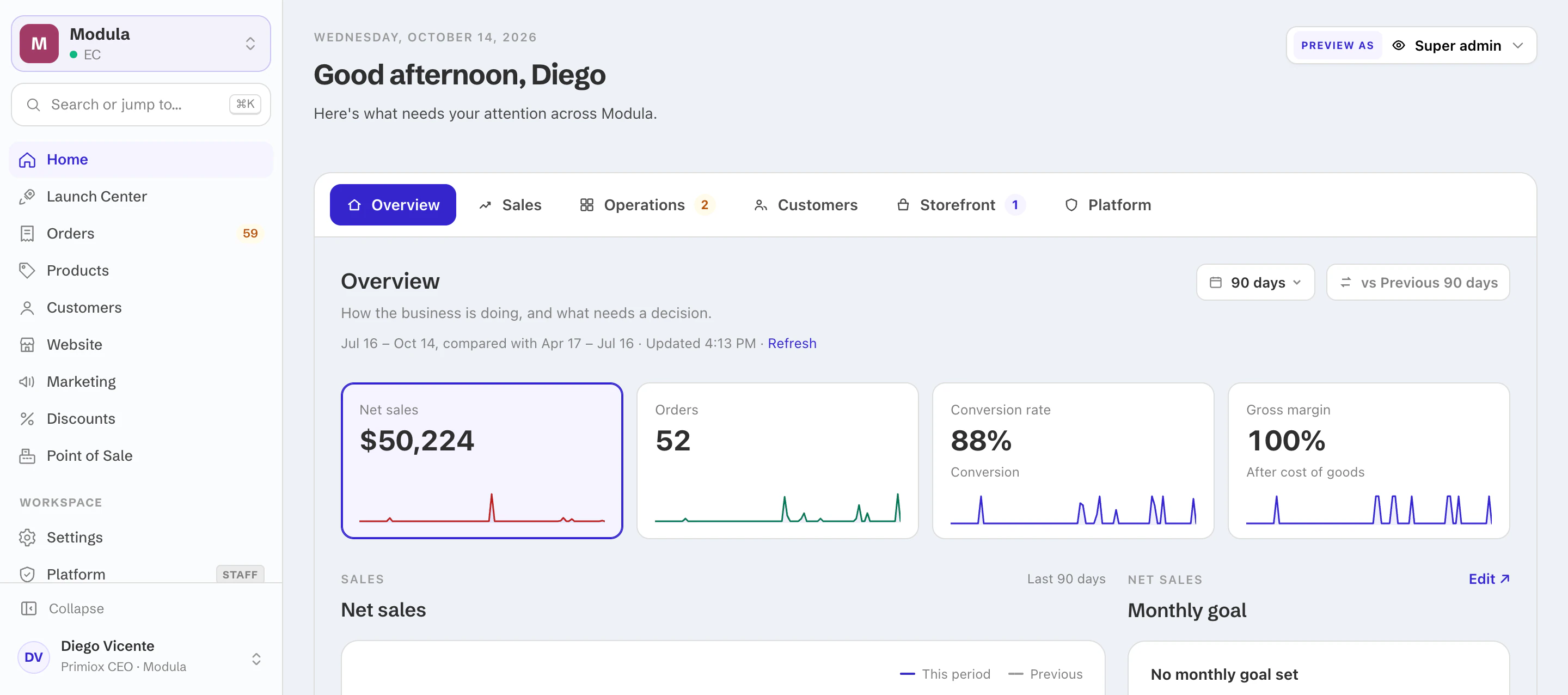
Primiox analytics: net sales, orders, conversion and margin
Explore Marketing & growth →
05

Primiox POS. Your counter, connected.

Till 1 · Quito store · Shift open · AnaES / EN
Barrier Serum$38.00
Night Cream$46.00
Calm Serum$34.00
Daily Cleanser$22.00
Lip Balm$12.00
+ Quick sale
CustomerMaría López · Factura
Barrier Serum$38.00
Night Cream$46.00
Counter discount 10%−$8.40
Total$75.60
Card $50.00Cash $25.60
Charge $75.60
ReceiptPrint · Email
Run the counter

Quick sale, customer lookup, counter discounts, split payments, parked orders, receipts and refunds.

Run the shift

Opening float, cash in and out, reconciliation, Z-report and cashier access.

Run your stores

Locations and points of sale, card payments recorded with their reference, Ecuador facturas, English and Spanish.

Explore Retail →
06

Set up what changes by country.

Your brand, catalog and store carry over. Change language, prices, taxes, payments, shipping, availability, domain or content per country. Ecuador and the US first — including Ecuador customer and business documents — with more countries on the way.

Stays the same
  • Brand and styleguide
  • Products and catalog
  • Store layout and sections
  • Shopping experience
Set per country
  • Language
  • Prices and taxes
  • Payments and shipping
  • Availability
  • Domain and content
Explore Markets →
07

Your team changes the store — safely, and on-brand.

Build visually

Rows, columns and inline editing; reusable sections and presets; navigation, footer, media and forms; desktop and mobile layouts.

Change safely

Drafts, preview, publish and version history. Starter and system pages ready to edit.

Stay on-brand

One brand styleguide, per-market style changes and editor access for your team.

Explore Content & brand →
08

Know you're ready — and who changed what.

Launch readiness

A checklist that shows what's left before you go live.

The right access

A role for every teammate — admin, editor, viewer, reviewer, translator, support, marketing or store manager, depending on your plan.

A clear record

Activity history for orders, stock and settings. Security →

See it on your products.